
Scammers don’t sleep — they learn. In recent years fraudsters have used look-alike domains, AI-generated photos, fake reviews and targeted social ads to trick shoppers. Governments and consumer groups keep warning shoppers to be alert, and platforms keep updating how they detect scams. This means one thing: you need faster checks, not more trust.
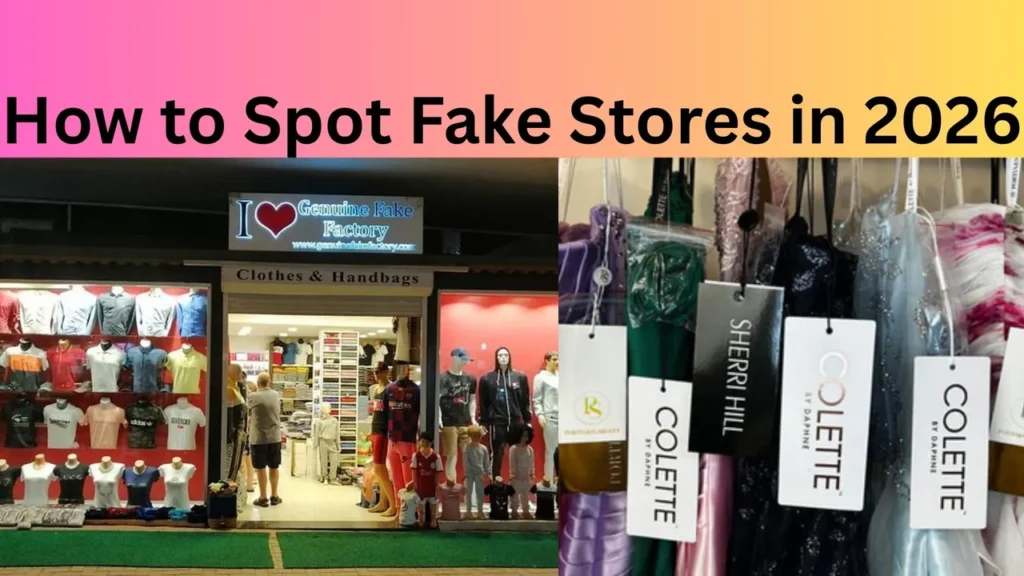
The short checklist you should run before you hit “buy” (10 things)
Think of this as your pre-purchase ritual — like checking the gas before a road trip. Run these 10 quick checks every time.
Domain & URL — look closely, like a detective
Fraudsters use typosquatting: tiny changes to a known brand name or a weird domain ending to look real at first glance. Always read the full URL — not just the product page headline. If the domain looks slightly off, back out.
HTTPS and the lock icon — not a silver bullet
A padlock and HTTPS mean the data between your browser and the site is encrypted. It does not mean the store is legitimate. Treat HTTPS as required baseline hygiene, not proof of trust.
Price checks — if it’s too good to be true, it probably is
Huge markdowns on brand-name goods? Pause. Scammers bait buyers with unbelievable prices to push impulse orders. Compare with official store pricing and trusted retailers.
Contact info & business details — test the store’s roots
Look for a physical address, phone number, and business registration. Real stores make this easy. If the address is vague, the phone number is mobile or missing, or the “contact us” form is the only option, consider it a red flag.
Reviews & social proof — dig beyond the stars
Five-star reviews pasted on the product page? Run a reverse image search on reviewer photos and read external reviews. Pay attention to review timestamps and wording — many fake reviews repeat the same phrases. Third-party review platforms and consumer complaint sites can reveal patterns.
Payment methods — choose protections
Does the checkout offer safe, buyer-protected options like credit cards or trusted intermediaries? Stores that insist on wire transfers, cryptocurrency, gift cards, or odd payment apps should be avoided. Always prefer chargeable, traceable methods that offer dispute resolution. PayPal
Shipping & returns — can you trust the fine print?
Check shipping timelines, return window, and return address. Scammers either invent confusing terms or copy legitimate return policies without matching contact info. If returns are “final sale” with no clear address, don’t proceed.
Trust badges & logos — verify, don’t assume
Fancy badges (“secure checkout”, “verified seller”) can be copied. Hover over badges and click them — legitimate badges usually link to verification pages. If clicking does nothing, that’s suspicious.
Product images & descriptions — look for copy-paste
High-quality, consistent photos and detailed descriptions are good signs. Stock photos or descriptions that look like they’ve been copied from other sites? That could mean the seller doesn’t actually stock the item. Europol and other investigators warn about low-quality or stolen images being used by fake stores.
Source of the ad — where did you find the store?
If you were routed there by a paid ad on social media, check the ad’s profile, comments, and whether the merchant has a legitimate website elsewhere. Ghost stores often pour ad money into targeted campaigns and then disappear after a few sales. Recent watchdog reports highlight this tactic.
Check official warnings before you buy (quick scan)
If you have time, scan recent consumer alerts from national agencies and trusted watchdogs. They publish lists and tips about trending scams and ghost stores. These alerts are practical and often mention current scam formats. Federal Trade Commission Better Business Bureau Australian Competition and Consumer Commission
Platform signals: marketplaces vs. standalone stores
Marketplaces vs. independent shops — pros and cons
Big marketplaces usually have seller verification, buyer protection, and dispute systems. Independent shops can be great — but you must do checks. If a “store” only exists on a social channel or was created yesterday, treat it cautiously.
When platforms are involved — who to contact
If you see a suspicious seller on a platform, report it through the platform’s reporting feature. Platforms are pressured to act, but the takedown process can lag. Monitor announcements from platform operators about scam patterns. Shopify Meta
Deep checks: how to verify a suspicious store step-by-step
If something feels off and you want to dig deeper, here’s a methodical approach.
1. WHOIS and domain age — is the site brand new?
Use a WHOIS lookup to see when the domain was registered. New domains aren’t always scams, but many scam stores pop up quickly and disappear just as fast. A newly minted domain selling expensive branded items is a red flag.
2. Reverse image search — are the photos stolen?
Right-click an image and run a reverse image search. If the same photo appears on many unrelated sites, the seller may be recycling stock images.
3. Search for complaints — forums, BBB, Reddit
Search the store name plus words like “scam”, “review”, “refund”, and check forums and complaint databases. A pattern of complaints is a strong signal.
4. Test the contact info — call or email
Send a short inquiry. A prompt, professional reply is a good sign. No reply or a generic automated message? Be cautious.
5. Check SSL certificate details
Click the lock and view the certificate. See who issued it. Certificates by default providers are common and fine, but sloppy certificate details (mismatch on the domain) are suspicious.
New tricks in 2026: AI, fake storefronts, and cloning
Scammers now use AI to generate product photos, fake testimonials, and even chatbots that seem convincing. They can clone legitimate stores quickly and serve targeted ads to people most likely to buy. That’s why quick checks and multi-factor evidence matter more than ever. Security blogs and consumer guides updated for 2026 emphasize this trend and recommend image reverse searches and domain-age checks before purchasing.
Safe payment habits that protect you
Never give direct access to your bank account. Use payment methods that offer dispute resolution (credit cards, established payment processors). If you must use a newer payment method, understand the refund path first. And keep screenshots of order confirmations and receipts.
If you think you’ve been scammed — act fast
- Contact your payment provider and request a chargeback or reversal.
- Report the store to consumer authorities and the platform where you found the ad.
- File a complaint with your national consumer protection agency and with the BBB or equivalent. Consumer groups publish guides on complaint filing and how to escalate.
Tools and browser extensions that help
There are browser tools and extensions that flag malicious sites, show domain age, or warn about suspicious trackers. They’re not perfect, but they add another layer of defense. Think of them as a seatbelt — helpful, but don’t rely on them alone.
Seller verification checklist for marketplaces
- Is the seller verified by the marketplace?
- Are there order numbers and long-term seller metrics?
- Do product listings match across several platforms?
- Do customer Q&As look authentic (specific, varied questions)?
If the answer is mostly “no”, look elsewhere.
How to write safer product searches and spot fake ads
When you search from a search engine, look at results beyond the top ad. Ads can be manipulated; organic results and official brand pages are safer starting points. When an ad uses extreme urgency (“only 2 left!”) paired with deep discounts, pause and verify.
Closing the loop: your quick decision flow (two minutes)
- Read the URL fully.
- Check payment options — prefer cards or known processors.
- Search for complaints and reverse image key photos.
- Verify contact info and business details.
- If anything fails, walk away.
This short flow saves time and avoids the common traps.
Final thoughts — shop smart, not paranoid
Online shopping should be fun. Being skeptical doesn’t mean you stop enjoying deals — it means you add a few checks to protect your time and money. Scammers will keep evolving; by using simple, repeatable checks you’ll stay one step ahead.
Conclusion
Fake stores in 2026 are faster, louder, and smarter — but they’re predictable. Use the 10-point checklist above every time you buy. Prefer traceable payment methods, verify photos and domain age, check third-party reviews, and scan platform or government warnings occasionally. A little skepticism and a few quick checks will protect you more than luck ever will.
FAQs
1. How quickly can I detect a fake store?
Run the short two-minute flow: check the URL, payment options, contact info, and do a reverse image search. Often you’ll see red flags within minutes.
2. Is HTTPS enough to trust a website?
No. HTTPS protects data in transit but does not verify who’s behind the store. Use HTTPS as a baseline, then check other trust signals.
3. What payments are safest for online purchases?
Credit cards and established payment processors with buyer protection are best because they provide dispute and chargeback options.
4. Where should I report a fake store?
Report to the platform where you found the store, then to your national consumer protection agency and to local business watchdogs or the Better Business Bureau (or equivalent in your country).
5. How often do fake stores get taken down?
It varies. Platforms and authorities take action when they can trace and verify fraud, but many scam sites reappear under new domains. That’s why personal checks every time you buy are essential.